

How to Connect Multiple MIDI Controllers to One DAW
Most people grab whatever USB hub is lying around, but that's where problems start. I've watched sessions grind to a halt because a cheap hub couldn't supply enough power to multiple controllers simultaneously—you get dropped notes, lag, and controllers dropping offline. Get a powered hub with at least 60W total output, and make sure each port can deliver full current independently. Your DAW will thank you, and you'll actually enjoy your setup instead of debugging connection issues.
Table of Contents
Our Top Picks
Affiliate disclosure: if you buy through these links, we may earn a commission at no extra cost to you.


Factors to Consider
USB Hub Quality and Power Delivery Matter More Than You'd Think
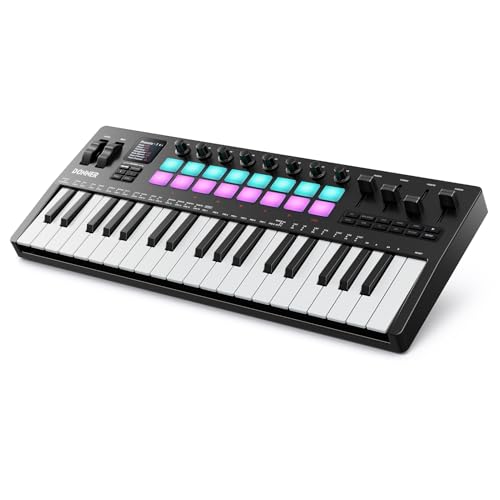
Controller Layout and Physical Space in Your Setup
Before buying, actually think about how you'll position multiple controllers next to each other without reaching awkwardly or accidentally hitting the wrong device mid-take. I've had amazing controllers that became useless because they fought for elbow room with my other gear. Consider whether you need keys, pads, and faders all at once, or if you can rotate controllers based on the session. A compact controller you'll actually use beats a feature-heavy monster gathering dust.
Driver Stability Across Your Entire Setup
This is the unsexy answer nobody wants to hear: driver conflicts are real and they're brutal. Different manufacturers handle multi-device scenarios differently—some are rock solid, others create latency or weird MIDI note-off issues when stacked. Before committing, research whether other musicians are successfully running that exact controller *alongside* your other gear on your OS. A single bad driver update can tank an entire session, and I've learned that the hard way too many times.
MIDI Channel Assignment and Soft Learning
You need controllers that either have simple menu systems for assigning different MIDI channels or support soft-learning (where the device learns what CC numbers and channels to send). Running five controllers all on MIDI channel 1 is a recipe for chaos—they'll all trigger the same parameters simultaneously. Look for controllers with at least a basic display or menu system, or ones with clearly documented software editors. This separates gear that works for five minutes from gear that actually functions in a real workflow.
Latency Performance in Multi-Controller Scenarios
Single-controller latency specs don't tell you what happens when you're running three or four devices through the same USB connection. Some controllers maintain tight timing, while others introduce noticeable delay when the system gets busy. Class-compliant devices tend to perform better in multi-controller setups because they don't rely on proprietary drivers negotiating bandwidth. If you're playing rhythm parts or drums, this isn't a "nice to have"—it's essential.
Frequently Asked Questions
Conclusion
Running multiple MIDI controllers into one DAW is absolutely doable—you just need to think about power delivery, driver stability, and MIDI routing before you plug everything in. A quality powered USB hub and controllers with proper MIDI channel assignment will eliminate 90% of the headaches and let you focus on actually making music instead of debugging connections.
My advice: start with two controllers that genuinely complement your workflow (maybe a keyboard and a pad controller), get them running flawlessly together, then add more gear only if you have a specific creative reason to. Depth beats breadth every time.


